Why Is Google Asking If I Am a Robot? Complete Guide to Google CAPTCHA Checks
If you have ever searched on Google and received a message asking you to verify that you are not a robot, you are not alone. Millions of users experience this situation every year. The question “why is google asking if i am a robot” has become increasingly common as online security threats continue to grow.
Google’s systems constantly analyze search activity to identify unusual patterns. When those systems detect behavior that appears automated, they may temporarily require a verification step. This process helps prevent spam, protects search results, and ensures a safer browsing experience for everyone.
In this detailed guide, you will learn exactly why Google asks users to prove they are human, what triggers these checks, how CAPTCHA works, and what you can do to stop these messages from appearing frequently.
Understanding Google’s “I’m Not a Robot” Verification
Google uses a security system called CAPTCHA. CAPTCHA stands for “Completely Automated Public Turing test to tell Computers and Humans Apart.”
The purpose is simple: determine whether a visitor is a real person or an automated program.
When Google notices unusual activity, it may display:
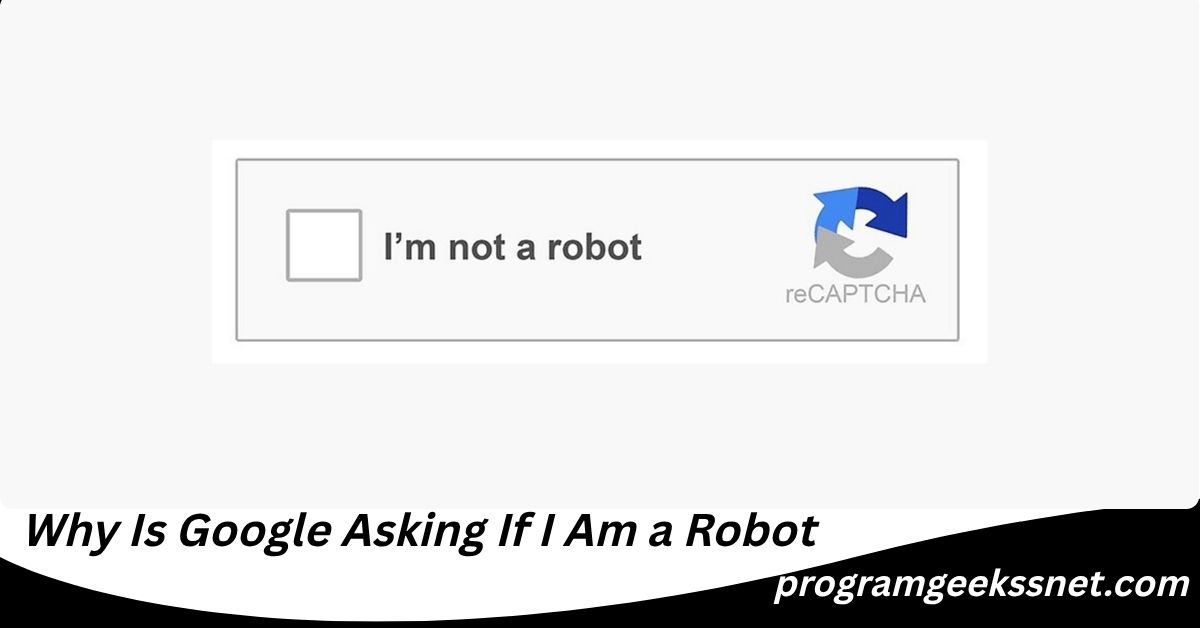
- An “I’m not a robot” checkbox
- An image selection challenge
- A puzzle verification
- A reCAPTCHA test
- A temporary access restriction
These tools help Google distinguish legitimate users from bots that may be attempting to:
- Scrape search results
- Send spam
- Launch cyberattacks
- Manipulate rankings
- Overload servers
When people ask, “why is google asking if i am a robot,” the answer is usually connected to one of these security concerns.
How Google Determines Whether Activity Looks Suspicious
Google’s algorithms analyze hundreds of signals when you use Search.
These signals include:
- Search frequency
- IP address reputation
- Device behavior
- Browser settings
- Network activity
- Mouse movements
- Click patterns
- Cookie information
Most users never notice these checks because they happen behind the scenes.
However, when Google detects activity that resembles automated behavior, verification becomes necessary.
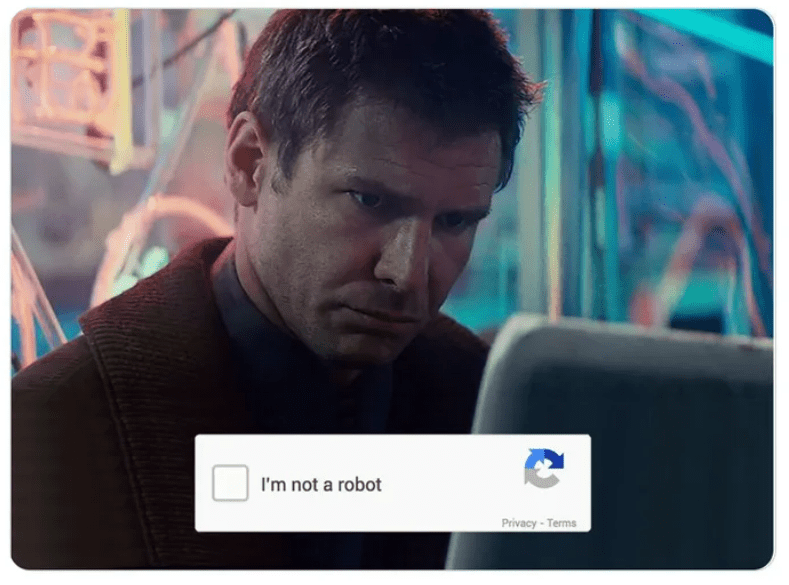
Think of it like airport security. Most travelers pass through quickly, but additional screening occurs when something unusual is detected.
Why Is Google Asking Me If I Am a Robot? The Most Common Reasons
Many users specifically search for “why is google asking me if i am a robot” because the challenge appears unexpectedly.
Let’s explore the most common causes.
Using a Shared Internet Connection
One of the biggest reasons involves shared networks.
If you are using:
- Public Wi-Fi
- Hotel internet
- School networks
- University networks
- Office internet
- Apartment building internet
Multiple people may share the same IP address.
If someone on that network performs suspicious searches, Google may temporarily question activity from the entire network.
As a result, innocent users may receive CAPTCHA challenges.
Too Many Searches in a Short Time
Google expects human search patterns.
When someone performs dozens or hundreds of searches within minutes, the activity can resemble a bot.
Examples include:
- Research projects
- SEO analysis
- Competitive research
- Automated browser extensions
- Frequent page refreshes
Even legitimate users can accidentally trigger Google’s security systems.
Using a VPN
Virtual Private Networks (VPNs) are increasingly popular for privacy.
However, VPN servers often serve thousands of users simultaneously.
If Google detects suspicious activity from a VPN server, everyone connected through that server may face verification challenges.
This is one reason why users often ask, “why is google asking me if i am a robot when I use a VPN?”
The answer is that Google’s systems see many users coming from the same location and IP address.
Browser Extensions Causing Problems
Certain browser extensions generate automated traffic.
Examples include:
- SEO tools
- Web scraping tools
- Rank tracking software
- Auto-refresh extensions
- Shopping bots
- Automation software
Even legitimate extensions can accidentally create behavior that appears robotic.
Malware or Unwanted Software
In some cases, malicious software may be running in the background.
These programs can:
- Send automated requests
- Generate fake traffic
- Perform hidden searches
- Connect to suspicious websites
When Google detects this activity, CAPTCHA challenges may appear frequently.
This situation is less common but should not be ignored.
Automated Scripts on Your Network
Some devices run automated scripts without users realizing it.
Examples include:
- Smart home systems
- Monitoring tools
- Crawlers
- Research software
- Data collection programs
These programs may generate enough traffic to trigger Google’s detection systems.
Why Is Google Search Asking If I Am a Robot Even When I Am Not Doing Anything Wrong?
This is one of the most frustrating situations.
You may be browsing normally and still receive a CAPTCHA challenge.
The reason is that Google’s systems do not know your intentions.
They only analyze patterns.
A real human can sometimes behave similarly to a bot.
For example:
- Rapid searches
- Multiple tabs
- Frequent refreshes
- Shared IP addresses
- VPN connections
These activities can accidentally resemble automated traffic.
Google prefers to verify users rather than risk allowing harmful bots to operate freely.
How Google reCAPTCHA Actually Works
Modern CAPTCHA technology is much more advanced than many people realize.
Years ago, users had to type distorted letters and numbers.
Today’s reCAPTCHA system uses sophisticated behavioral analysis.
Google examines:
- Mouse movement patterns
- Typing behavior
- Browsing history
- Device characteristics
- Time spent on pages
- Interaction patterns
Sometimes simply clicking the checkbox is enough.
Other times, additional image verification is required.
The system assigns a confidence score regarding whether the user appears human.
The Evolution of Google’s Anti-Bot Technology
Google’s security systems have become much smarter over time.
First Generation CAPTCHA
Early CAPTCHA tests used distorted text.
Users typed characters displayed in blurry images.
While effective initially, bots eventually learned to solve many of these challenges.
Image Recognition CAPTCHA
Google introduced image selection tasks.
Examples include identifying:
- Traffic lights
- Bicycles
- Crosswalks
- Cars
- Bridges
These tasks proved harder for automated systems.
Behavioral Analysis
Modern systems often analyze behavior before displaying any challenge.
In many cases, users never realize they are being evaluated.
Invisible reCAPTCHA
Some websites use invisible reCAPTCHA.
Users receive protection without seeing any challenge unless suspicious activity is detected.
Can Google Mistakenly Think You Are a Robot?
Yes.
No automated security system is perfect.
False positives happen regularly.
Google’s algorithms are highly accurate, but they occasionally flag legitimate users.
Factors contributing to false positives include:
- Shared IP addresses
- Corporate networks
- VPN usage
- Aggressive browsing behavior
- Browser privacy settings
This explains why many people wonder, “why is google asking if i am a robot” even though they have done nothing unusual.
How Search Engines Protect Their Infrastructure
Many users focus only on their own experience.
However, search engines process billions of requests every day.
Without anti-bot protections, attackers could:
- Overwhelm servers
- Manipulate rankings
- Steal search data
- Spread spam
- Launch denial-of-service attacks
Google must balance convenience with security.
Occasional verification challenges are part of that balance.
Signs That CAPTCHA Requests May Indicate a Bigger Problem
While occasional CAPTCHA checks are normal, repeated challenges may signal an underlying issue.
Watch for:
- CAPTCHA appearing every few minutes
- Constant verification requests
- Browser slowdowns
- Unexpected popups
- Unusual network activity
- Unknown browser extensions
These symptoms may indicate malware or unauthorized software.
How to Stop Google From Asking If You Are a Robot
If these challenges occur frequently, try the following solutions.
Restart Your Router
Many internet providers assign dynamic IP addresses.
Restarting your router may provide a new IP address.
This often resolves temporary reputation issues.
Disable Your VPN Temporarily
If you use a VPN, disconnect briefly and test Google Search.
If the CAPTCHA disappears, the VPN server may be triggering the issue.
Consider switching to another server location.
Clear Browser Cookies
Corrupted cookies sometimes contribute to verification problems.
Clear:
- Cookies
- Cached files
- Site data
Then restart your browser.
Scan for Malware
Run a full security scan using trusted antivirus software.
This helps identify hidden programs generating automated traffic.
Also Read: Where to Stream The Wild Robot: Complete Streaming Guide for U.S. Viewers
Check Browser Extensions
Disable extensions one by one.
Pay particular attention to:
- SEO tools
- Scrapers
- Automation software
- Shopping assistants
An extension may be causing suspicious behavior.
Update Your Browser
Outdated browsers sometimes create compatibility issues.
Ensure you are using the latest version of:
- Chrome
- Edge
- Firefox
- Safari
Reduce Rapid Search Activity
Avoid repeatedly refreshing search results or performing dozens of searches within seconds.
A slower, more natural browsing pattern reduces the likelihood of triggering security systems.
The Relationship Between AI Bots and CAPTCHA Growth
Artificial intelligence has dramatically increased the importance of CAPTCHA technology.
Modern AI systems can:
- Browse websites
- Analyze pages
- Submit forms
- Collect information
As AI capabilities improve, Google continuously upgrades its defenses.
This explains why verification systems have become more common in recent years.
The future will likely involve even more sophisticated human-verification technologies.
Why Businesses Often Trigger CAPTCHA More Frequently
Business users frequently encounter these challenges.
Reasons include:
- Market research
- SEO analysis
- Keyword tracking
- Competitor monitoring
- Automated tools
Business activities often generate higher search volumes than normal consumer browsing.
As a result, Google’s systems may request additional verification.
Can Mobile Phones Trigger Google’s Robot Checks?
Yes.
Smartphones can also receive CAPTCHA requests.
Common triggers include:
- Public Wi-Fi usage
- Mobile VPN apps
- Shared cellular networks
- Browser automation apps
The same security principles apply across desktop and mobile devices.
Does Google Store Information From CAPTCHA Checks?
Google uses CAPTCHA systems primarily for security.
The information collected may include:
- Browser characteristics
- IP addresses
- Interaction patterns
- Device details
This information helps improve fraud detection and security systems.
Google’s goal is identifying suspicious activity rather than monitoring individual users.
How Long Do CAPTCHA Challenges Usually Last?
Most CAPTCHA restrictions are temporary.
The duration depends on:
- Severity of detected activity
- IP reputation
- Network conditions
- Traffic volume
Many challenges disappear within minutes or hours.
Persistent issues may require troubleshooting.
The Psychology Behind CAPTCHA Frustration
An interesting aspect often overlooked is user psychology.
People naturally feel frustrated when asked to prove they are human.
The challenge feels personal.
However, the request is not directed at you specifically.
Google’s systems evaluate patterns, not personalities.
Understanding this distinction helps reduce frustration and encourages practical troubleshooting.
Common Myths About Google’s Robot Verification
Myth 1: My Computer Is Hacked
Not necessarily.
Most CAPTCHA challenges result from normal security checks.
Myth 2: Google Is Tracking Me More Closely
The verification process focuses primarily on traffic validation rather than personal surveillance.
Myth 3: Only Suspicious Users Get CAPTCHA Requests
Many legitimate users encounter CAPTCHA challenges every day.
Myth 4: CAPTCHA Means I Did Something Wrong
In most cases, no wrongdoing occurred.
The system simply detected unusual patterns.
Myth 5: CAPTCHA Checks Will Never Stop
Most challenges are temporary and disappear once normal activity resumes.
Future Trends in Human Verification
The future of online verification will likely move beyond traditional CAPTCHA tests.
Emerging technologies include:
- Behavioral biometrics
- Device trust scoring
- AI-based identity validation
- Risk-based authentication
- Advanced browser fingerprinting
The goal is making verification more accurate while reducing inconvenience.
Eventually, users may rarely need to click “I’m not a robot.”
What You Should Do Immediately When Google Asks If You Are a Robot
Follow this simple checklist:
- Complete the CAPTCHA.
- Continue browsing normally.
- Check for VPN usage.
- Review browser extensions.
- Scan for malware if challenges become frequent.
- Restart your router if necessary.
- Clear browser cache and cookies.
- Update your browser.
For most users, these steps resolve the issue quickly.
Also Read:Fanquer: The Complete Guide to Connecting Fans, Creators, and Communities in the Digital Age
Final Thoughts
If you have been wondering, “why is google asking if i am a robot,” the answer usually comes down to security. Google constantly monitors search traffic to protect users, prevent spam, stop malicious bots, and maintain reliable search results.
Whether the cause is a VPN, shared internet connection, rapid searches, browser extensions, or unusual network activity, Google’s verification systems are designed to protect the search ecosystem. In most cases, the challenge is temporary and harmless.
The next time you see Google’s robot verification screen, remember that it is not accusing you of being a robot. Instead, it is simply asking for proof that a real human is behind the search. Understanding how these systems work can help you troubleshoot issues quickly and continue browsing with confidence.
Frequently Asked Questions (FAQs)
Can using multiple Google accounts cause robot verification?
Yes. Rapid switching between multiple Google accounts on the same browser or device can sometimes appear unusual and may trigger additional security checks.
Does Incognito Mode increase CAPTCHA requests?
In some situations, yes. Incognito Mode removes stored cookies and browsing history, which means Google has less information available to verify normal user behavior.
Why do CAPTCHA challenges appear more often at work?
Corporate networks often have hundreds or thousands of users sharing the same internet connection. High traffic volumes can occasionally trigger Google’s anti-bot systems.
Can browser privacy settings cause robot checks?
Yes. Extremely strict privacy settings that block cookies, scripts, or browser data may reduce Google’s ability to verify legitimate activity automatically.
Will changing internet providers solve the problem?
If the issue is related to a poor IP reputation from your current provider, switching providers could help. However, this is rarely necessary.
Can smart devices on my home network trigger Google CAPTCHA requests?
Yes. Connected devices that generate unusual internet traffic may affect your network’s reputation and increase verification requests.
Why does CAPTCHA appear only on one browser but not another?
The problem may be linked to browser-specific settings, extensions, cached data, or cookies rather than your internet connection itself.
Can search automation tools trigger Google’s robot detection?
Absolutely. Rank trackers, scraping tools, keyword research software, and automated search programs are among the most common reasons users encounter repeated CAPTCHA challenges.
Does Google’s robot verification affect search rankings for websites?
No. CAPTCHA challenges are designed to verify users and protect systems. They do not directly affect a website’s position in Google search results.
Can I permanently disable Google’s “I’m not a robot” checks?
No. Since CAPTCHA is a security feature controlled by Google, users cannot permanently disable it. The best approach is to reduce the factors that trigger suspicious activity signals.
editor's pick
latest video

news via inbox
Nulla turp dis cursus. Integer liberos euismod pretium faucibua